P&B KEYCAST / FREE WINDOWS APP

Make every keystroke and click easier to follow.

Make every keystroke and click easier to follow.

Make every keystroke and click easier to follow.

Show your keys, shortcuts, and mouse activity on screen in real time. P&B KeyCast adds customizable keycaps, cursor highlights, and optional sounds to your tutorials, recordings, presentations, and live streams.

FREE TO USE. MADE FOR WINDOWS.

P&B KeyCast overview: keystroke display, cursor highlighting, and sound controls

YOUR ACTIONS. CLEARLY VISIBLE.

Less explaining. More showing.

01 / KEYCAP STYLES

Your keys. Your style.

Choose from seven styles: Pebble, Classic, Glass, Lime, Laptop, Desktop Black, and Desktop White. Fine-tune keycap size, opacity, display duration, and spacing from the screen edge. Pick the position and display that work for you.

01 / KEYCAP STYLES

Your keys. Your style.

Choose from seven styles: Pebble, Classic, Glass, Lime, Laptop, Desktop Black, and Desktop White. Fine-tune keycap size, opacity, display duration, and spacing from the screen edge. Pick the position and display that work for you.

02 / KEYBOARD SHORTCUTS

Make the shortcut obvious.

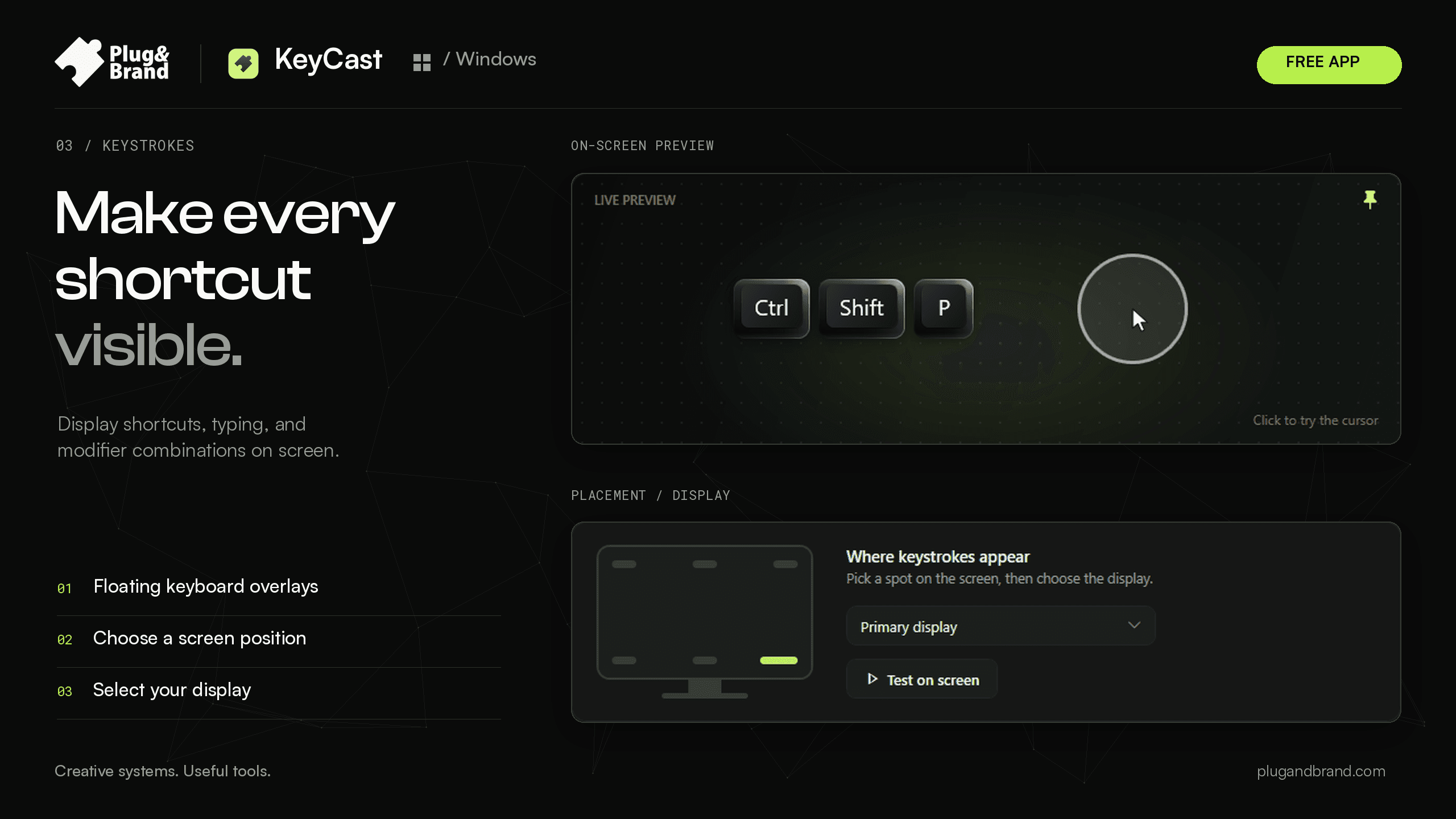
Show every key or switch to Shortcuts Only to hide ordinary typing. Group letters into words, control the number of visible lines, and display modifier combinations — including shortcuts with mouse clicks and scrolling.

02 / KEYBOARD SHORTCUTS

Make the shortcut obvious.

Show every key or switch to Shortcuts Only to hide ordinary typing. Group letters into words, control the number of visible lines, and display modifier combinations — including shortcuts with mouse clicks and scrolling.

03 / CURSOR HIGHLIGHTING

Keep eyes on the action.

Guide your audience with a customizable cursor ring or glow. Adjust color, size, opacity, and ring thickness. Add animated click ripples, give left and right clicks different colors, or show the highlight only while clicking.

03 / CURSOR HIGHLIGHTING

Keep eyes on the action.

Guide your audience with a customizable cursor ring or glow. Adjust color, size, opacity, and ring thickness. Add animated click ripples, give left and right clicks different colors, or show the highlight only while clicking.

04 / KEYSTROKE SOUNDS

Let your audience hear the rhythm.

Choose from Thock, Clicky, Typewriter, Soft, Tap, and Tick. Set the volume, add optional mouse click sounds, and enable subtle pitch variation. Sounds work independently of your visual overlays.

KeyCast keystroke sound presets and audio settings

05 / YOUR WORKFLOW

Set it up. Stay in your flow.

Keep the controls you need close and the rest out of the way. Test your overlays, choose your interface theme, set launch preferences, and manage keystrokes, highlights, and sounds independently.

05 / YOUR WORKFLOW

Set it up. Stay in your flow.

Keep the controls you need close and the rest out of the way. Test your overlays, choose your interface theme, set launch preferences, and manage keystrokes, highlights, and sounds independently.

Ready when you are. Quiet when you’re not.

Control it without stopping.

Toggle keystrokes, cursor highlighting, and sounds with global keyboard shortcuts. Test your overlays before you go live.

Control it without stopping.

Toggle keystrokes, cursor highlighting, and sounds with global keyboard shortcuts. Test your overlays before you go live.

Fits your setup.

Choose a light, dark, or system-matched interface. Launch with Windows and keep KeyCast running in the system tray.

Fits your setup.

Choose a light, dark, or system-matched interface. Launch with Windows and keep KeyCast running in the system tray.

Start on your terms.

Start paused and activate effects only when you’re ready. Keep tutorials, walkthroughs, lessons, and presentations focused on the work.

Start on your terms.

Start paused and activate effects only when you’re ready. Keep tutorials, walkthroughs, lessons, and presentations focused on the work.

Make your actions visible. Keep your audience focused.

Free to use on Windows. Choose your keycaps, tune your cursor effects, and make your next tutorial or demo easier to follow.